Which of your bottles goes with dinner
You already know what you're cooking. Tell CruSense, and it ranks the bottles actually in your cellar — not ones you'd have to go out and buy.
Coming soon to the App Store, for iPhone
Free to download.
Four dinners, one cellar
Real Ask Cru answers from our demo cellar. Pick a dinner.
A kitchen tool, not wine school
For anyone who loves food and wine — whether you have six bottles or six hundred.
Tonight's pairing
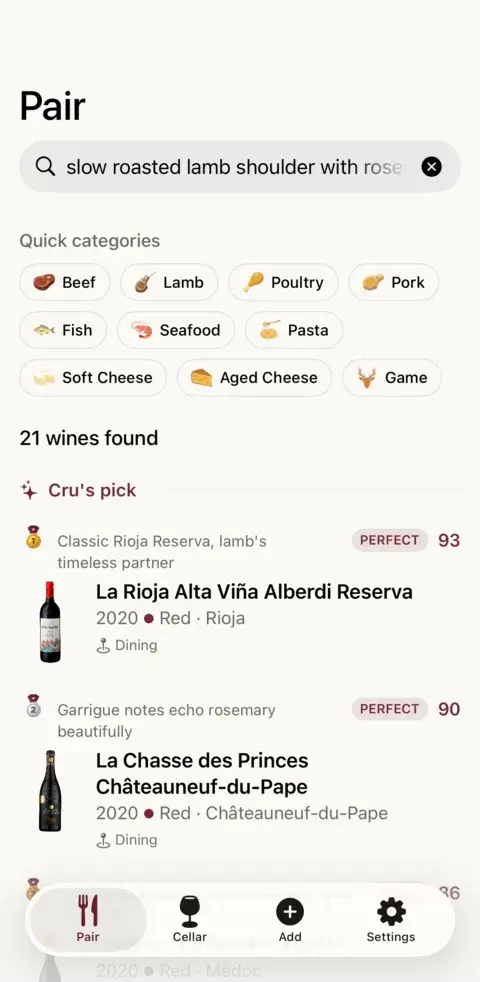
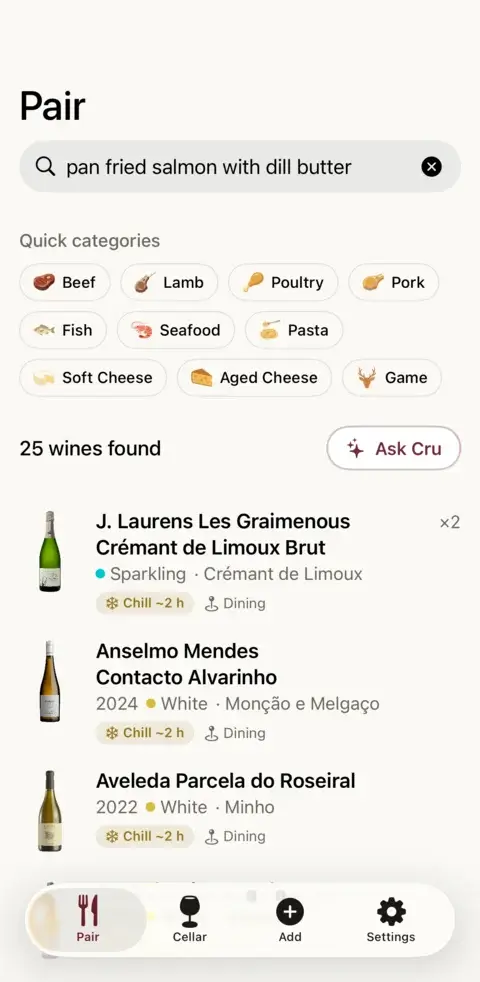
Type what you're cooking. Your bottles come back ranked, each with a plain reason — “acidity cuts through the fat”, not a paragraph of tasting notes.
Ask Cru Premium
A sommelier who has actually looked in your cellar. Ask about tonight's dinner and get a few picks, each with the reason it works.
Drink windows
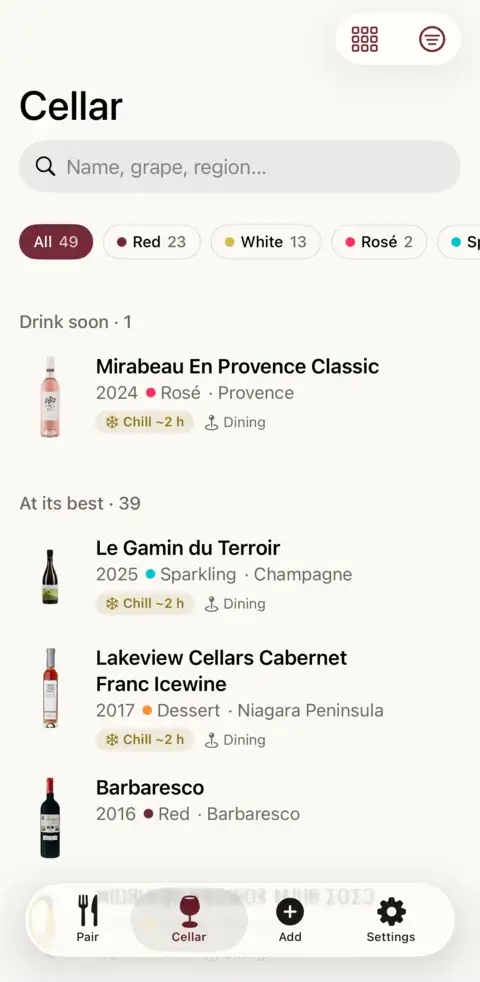
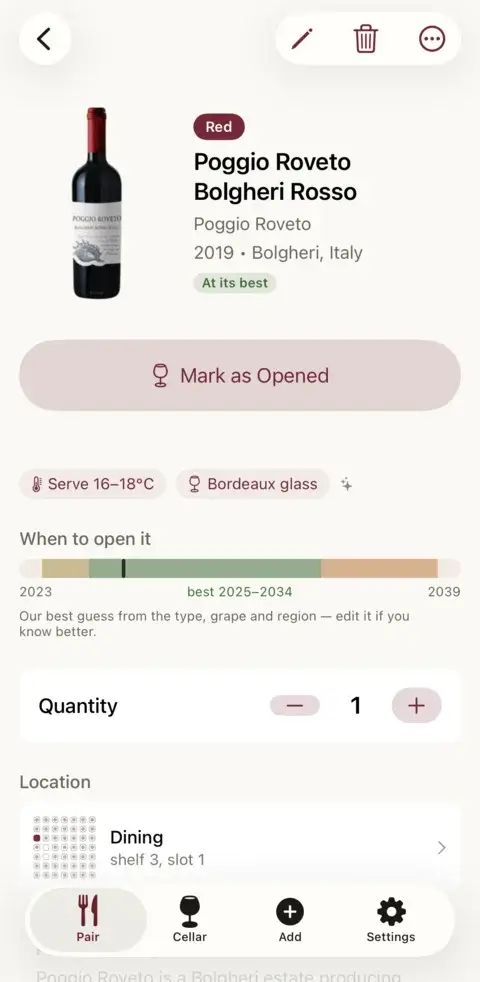
What to open this month, what to leave alone, and what's quietly going over the hill.
Scan the label
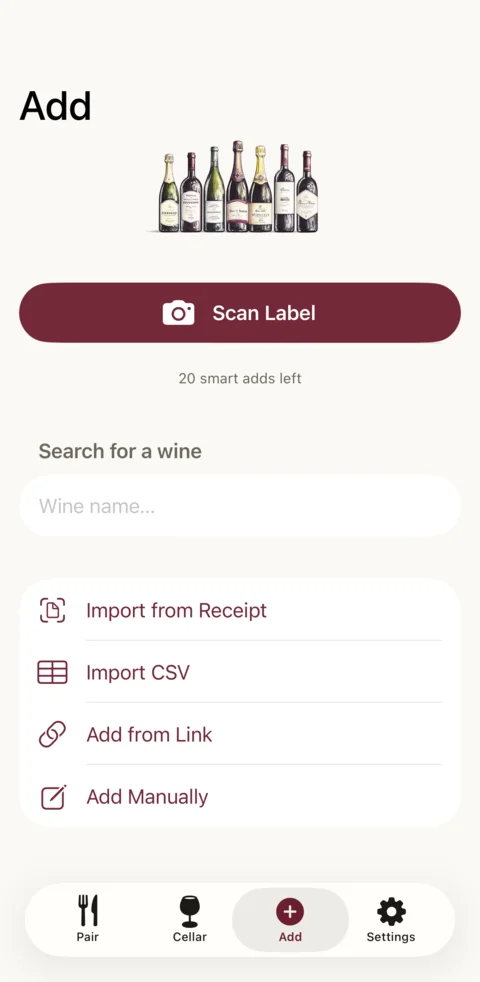
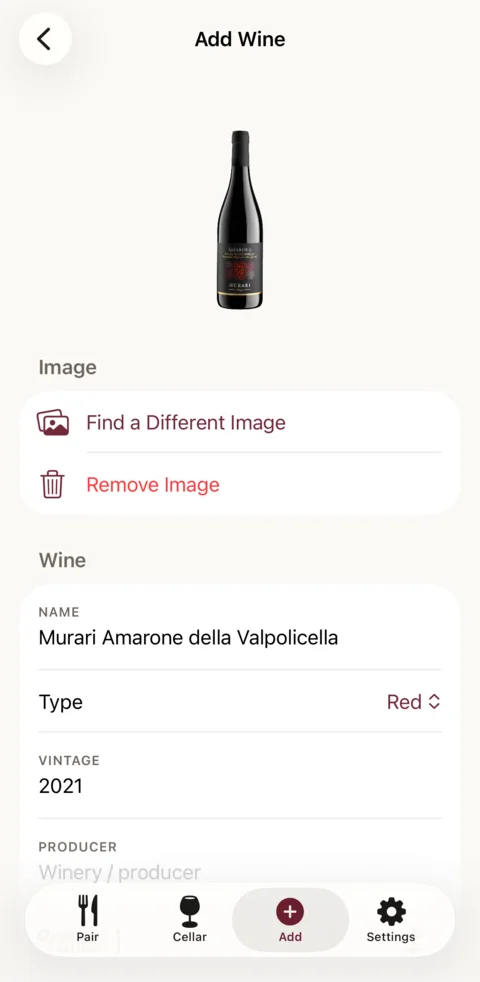
Point the camera at a bottle and it lands in your cellar, filled in — grapes, style, region and price. The first 20 are free.
Know where it is
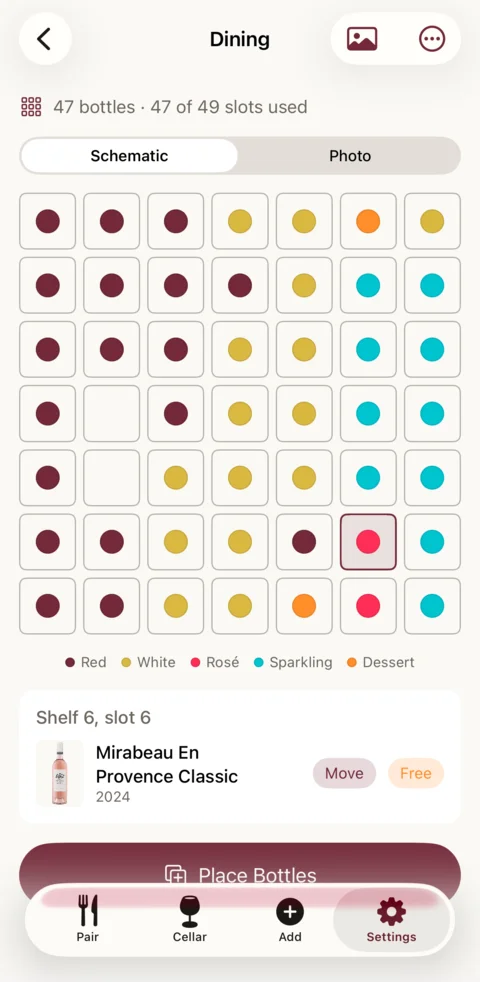
Map your rack or fridge once, then find the bottle you picked without moving the other fifty.
On your home screen
A widget with tonight's pick, and a Siri phrase for when your hands are covered in flour.
Have a look
It all lives on your phone. Quick to answer, easy to read with something on the stove.
You already bought good wine. Drink it.
CruSense is about the bottles already on your shelf — opened at the right time, with the right dinner.Free, with a little more if you want it
Everything that makes the cellar work is free.
Free
0 €
No card, no trial period.
Included:
- Unlimited bottles, typed in by you or imported from a spreadsheet
- Pairing for any dish, offline
- Drink windows and open bottles
- Your storage map
- 20 smart adds to start: scan a label, paste a shop link or snap a receipt, and the details fill themselves in
- 3 Ask Cru answers, then 1 a month
Premium Launch price
19,90 € / year
or 4,99 € / month
Everything in Free, plus:
- Ask Cru, up to 60 answers a month
- Unlimited smart adds: every scan, link and receipt
- Slot new bottles into your map
The launch price runs until 31 January 2027. From 1 February the yearly price is 29,90 €, and anyone who subscribed before keeps 19,90 €.
Prices in Finland. Elsewhere the App Store shows the price in your own currency.
Questions
Anything else, write to support@crusense.com.
When can I get it?
Soon. CruSense is coming to the App Store for iPhone, free to download, in English across the EU, the UK and other English-speaking countries.
Does it work outside Finland?
Yes. Scan the label, paste a link to the wine’s page in almost any online shop, or snap a receipt from wherever you buy, and the details fill themselves in from the web. Each price keeps the currency it was in, and nothing is converted.
What is a smart add?
A smart add is when the app fills a bottle in for you: reading a label, finding it on the web or from a shop link, or reading a whole receipt (one receipt counts once, however many bottles are on it). Typing a bottle in yourself, or importing a spreadsheet, never uses one. Free comes with 20 to start; Premium makes them unlimited.
Do I need an account?
Yes. Sign in with Apple or an email address, so your cellar is backed up and survives a new phone. Delete the account in Settings and everything in it goes.
Where is my data kept?
Your account and cellar are stored in the EU, on servers in the Netherlands, with a copy on your phone. Reading a label or receipt and answering Ask Cru happen on Anthropic’s servers in the United States, under the EU’s standard contractual clauses. Nothing is sold, and there are no ads.
Does it work offline?
Your cellar and the standard pairing do, because both live on your phone. Scanning, web finds and Ask Cru need a connection.
Is there an Android or iPad version?
Not yet. CruSense is made for iPhone, and the Siri phrases are in English for now.
Your food. Your wine. Paired.
Coming soon to the App Store, for iPhone
Free to download.